
Retention and automatic deletion of expired documents
Each document received in a request has a deadline: the end of its retention period. When it is reached, meo tells you in a weekly email. If your space allows it, meo also moves the document to the trash, where you can recover it for 30 days.
The retention period
Section titled “The retention period”Each document type in the Catalogue has its Minimum retention period, in days, months or years, or Keep forever. A new type starts at one year. In a request, you can change an item’s retention for that request only, in its settings, under Retention.
The deadline is set on receipt: the upload date plus the period. A new period applies to future uploads; documents already received keep theirs. A file you upload straight into a folder, outside a request, has no deadline.
Change a document’s deadline
Section titled “Change a document’s deadline”-
In Documents, open the file’s ⋮ menu, then click Retention.
-
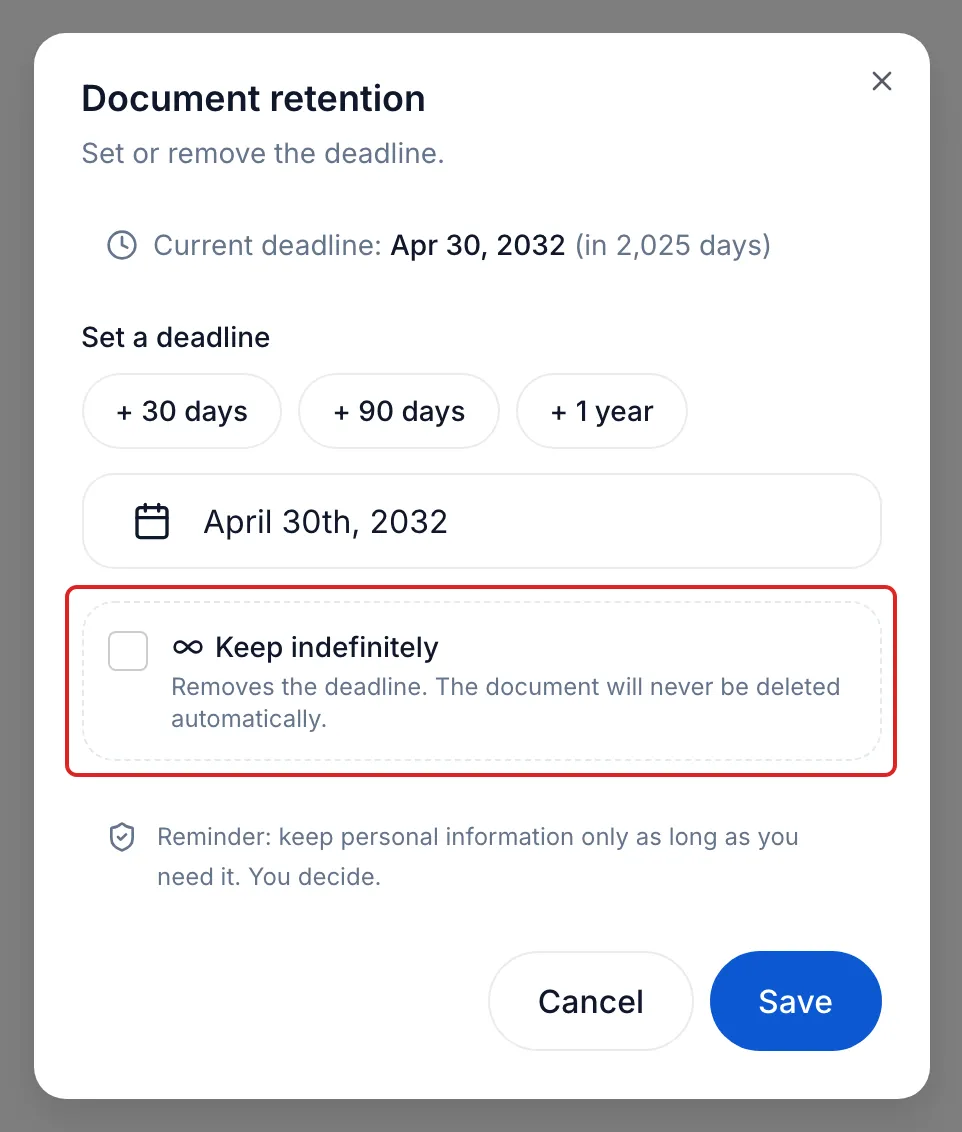
In the Document retention window, under Set a deadline, click + 30 days, + 90 days or + 1 year, or pick a date. To never delete the document automatically, tick Keep indefinitely instead.
-
Click Save.
Deadline notices
Section titled “Deadline notices”Every Monday, each user of a space receives a summary as soon as a document or a piece of information received has expired or reaches its deadline within 30 days. The subject reads like “3 items are expiring”. The email counts, per space, the items expired, those expiring within 7 days and those expiring within 30 days. This notice cannot be turned off: in Notifications, Expiring documents shows Always active.
The View the dashboard button opens the Deadlines page, under Documents. Filter by Expired, 7 days or 30 days. Each row’s menu offers Extend the deadline, Keep indefinitely and Delete; the Purge button, followed by the number of expired documents, moves the expired documents to the trash, after two confirmations.
Automatic deletion
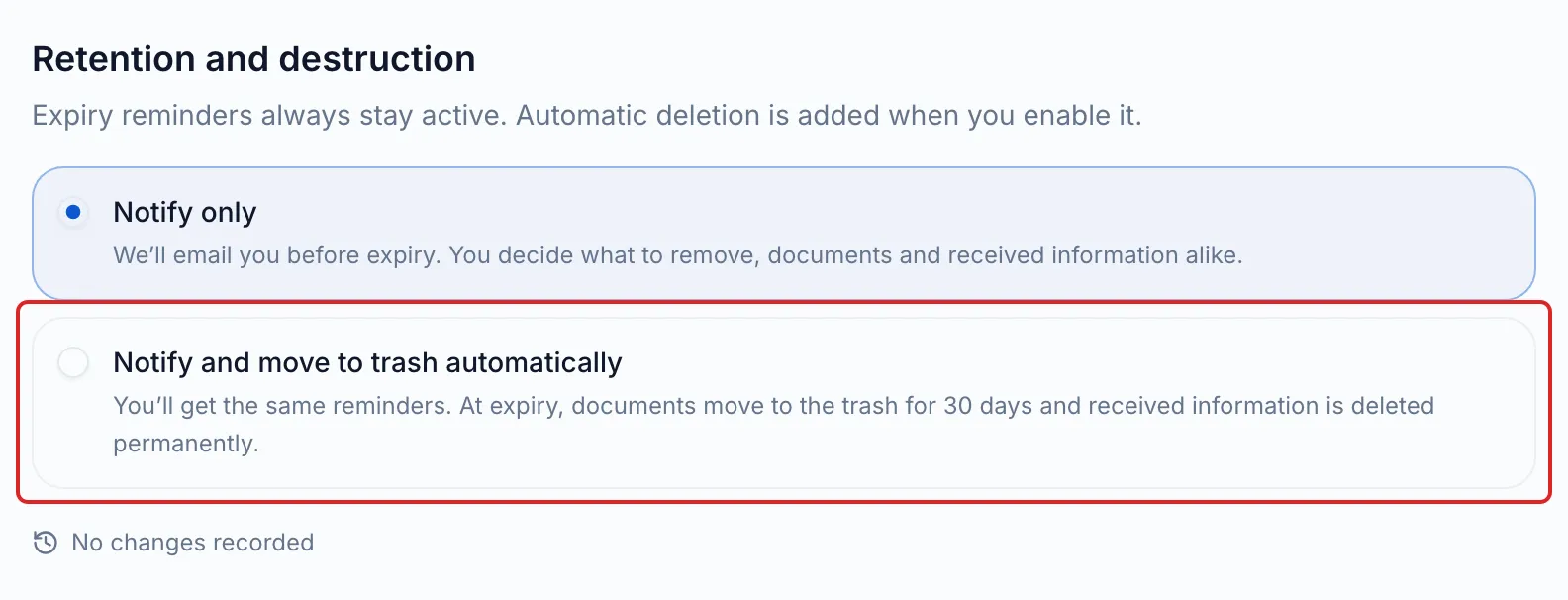
Section titled “Automatic deletion”The choice is made per space. In the space’s Settings, Retention tab, the Retention and destruction card offers two choices:
| Notify only (default) | Notify and move to trash automatically | |
|---|---|---|
| Monday notice | Yes | Yes, with the items that will be deleted and the date |
| Expired documents | They stay, marked Expired. You decide what to delete. | They move to the trash every night, recoverable for 30 days. |
| Expired information received | It stays. | It is permanently deleted, without going through the trash. |
To turn on automatic deletion, choose the second card, then click I authorize and enable. Your consent and its date are recorded; the card shows “Enabled on” followed by the date. Only the owner and administrators can make this choice. When you create your account, the same choice is called Receive expiry notices and move to trash automatically.
The trash
Section titled “The trash”Open Documents, then Trash. An item stays there for 30 days, then it is permanently deleted. Tick it and click Restore to recover it, or Empty trash to delete everything right away.
In Canada, retention is governed by the federal law (PIPEDA), the baseline for private businesses, by the British Columbia and Alberta laws, and by Quebec’s Law 25, the most demanding, which meo is built to meet: see the Security, privacy and Law 25 section.
Frequently asked questions
Section titled “Frequently asked questions”- Are expired documents deleted automatically?
- How does the document retention period work?
- Can you keep a document past its expiry date?