Deliver documents to your client
A handout is a file you give your client: a completed return, a welcome guide, a letter. They find it in their portal, under Documents for you, and download it. meo records every download.
You deliver documents after a closed request, or in a new request.
Before you start
Section titled “Before you start”Have the file at hand: a PDF of up to 50 MB, or a JPEG, PNG, WebP or HEIC image of up to 10 MB.
After a closed request
Section titled “After a closed request”-
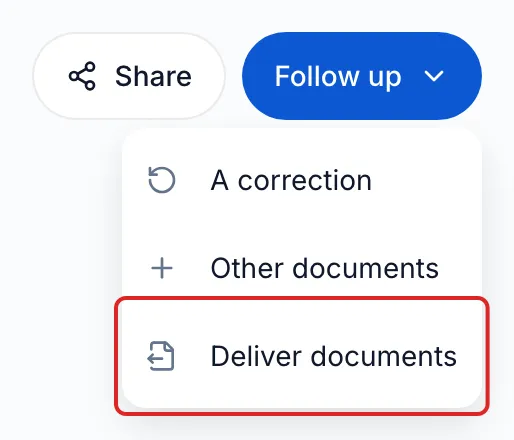
In Requests, open the closed request. Click Follow up, then Deliver documents.
-
The Deliver documents window opens. The people from the original request are suggested and the delivery stays filed in the same folder. You can add or remove people.
-
In the Request contents card, click Add an item. Choose a handout from your catalogue, or click the Handout tile under Create for this request.
-
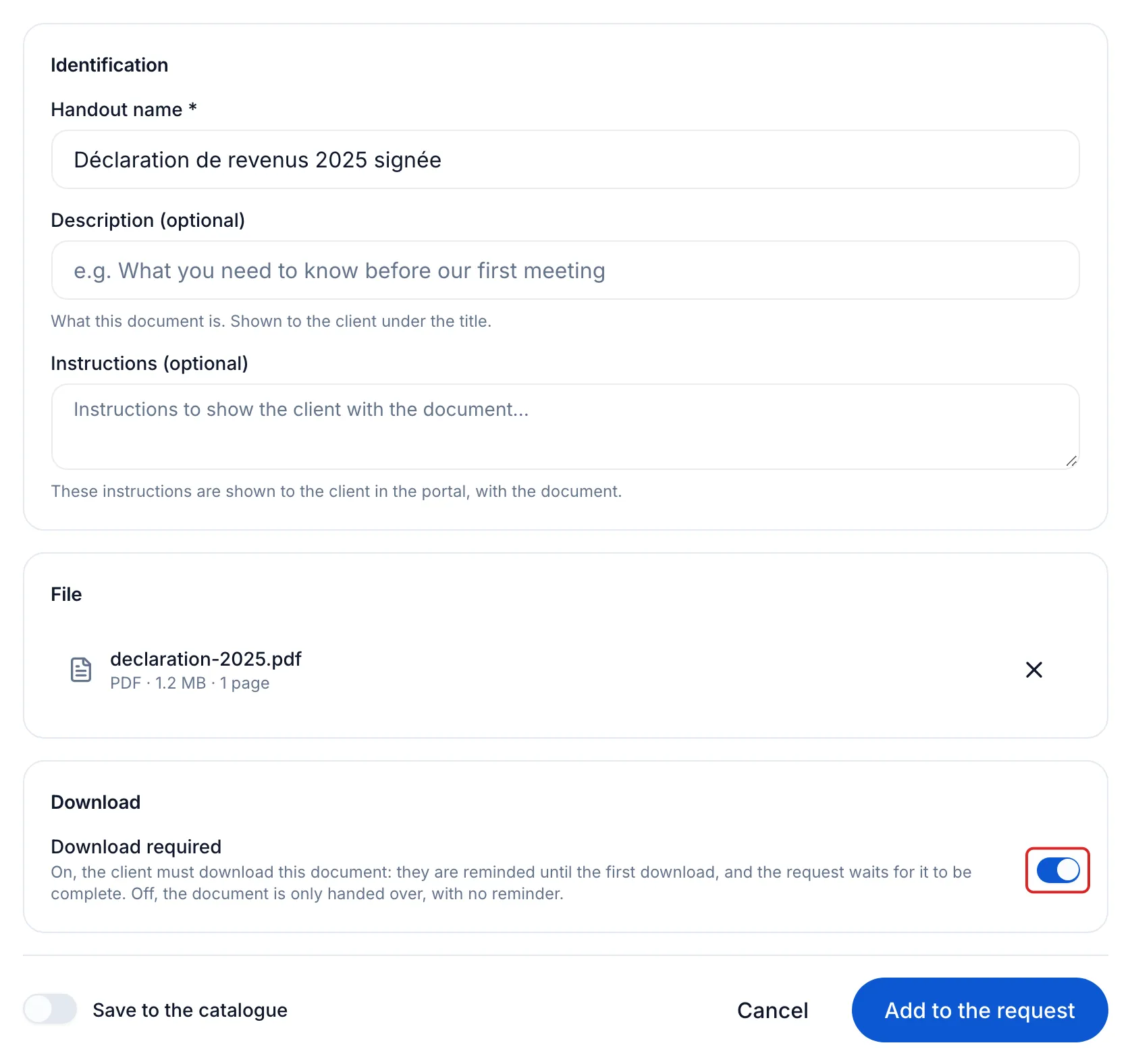
Enter the Handout name, drop the file under File and turn on Download required if needed. Click Add to the request.
-
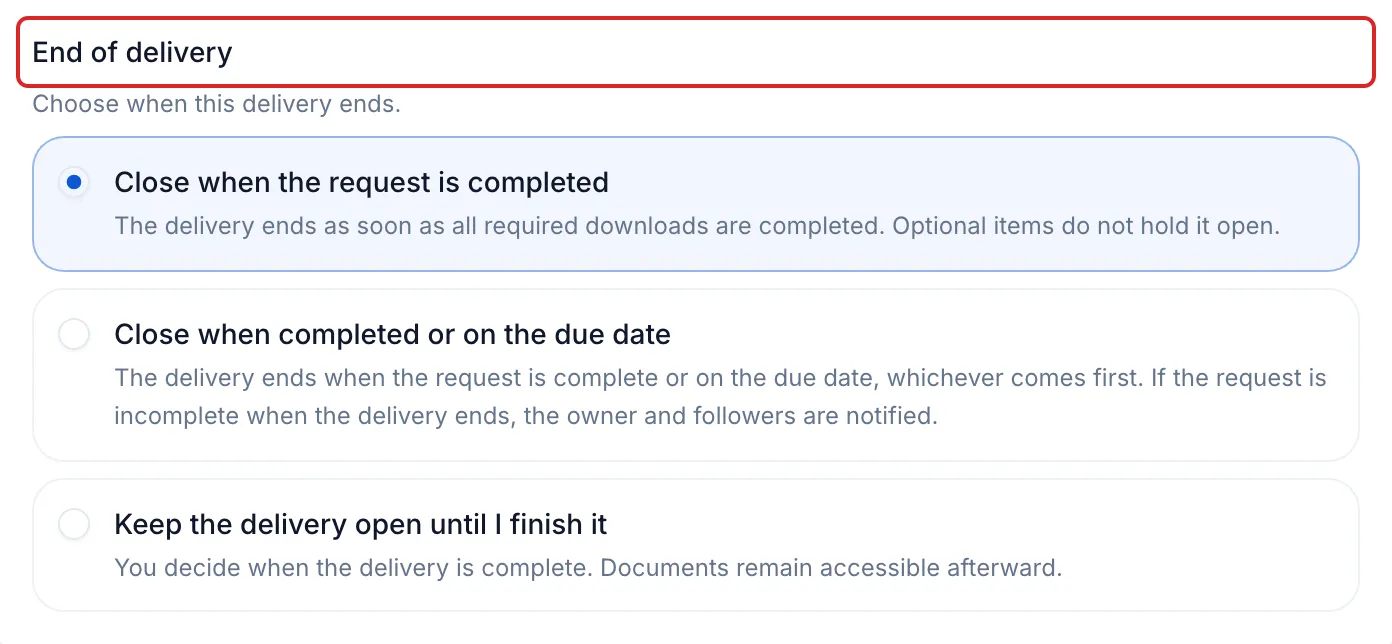
Click Continue. On the Delivery step, the reminders and channels follow the original request. Under End of delivery, choose when the delivery ends.
-
Click Continue, check what each person receives, then click Send.
In a new request
Section titled “In a new request”Compose the request as usual, see Send a request to a client, and add one or more handouts in the Request contents card, as in step 3. A request can hold only handouts: the Delivery step then shows End of delivery.
Result
Section titled “Result”Your client is notified and sees the document under Documents for you, with the Download button. In the request, the document’s row changes from To download to Downloaded, with the date.
Good to know
Section titled “Good to know”- With Download required on, your client is reminded until the first download, and the request waits for it to be complete. Off, the document is only handed over, with no reminder.
- With Keep the delivery open until I finish it, the Complete delivery button appears at the top of the request. After the delivery ends, your client can still download the documents.
- Before the first download, the row’s ⋯ menu offers Remove. After it, or once the request is closed, it offers Revoke access.
- Only one follow-up can be in progress per request. If a delivery is already open, the request’s Options menu offers Open the ongoing delivery.
- To deliver another type of file, such as an Excel workbook, share a folder instead, see Share documents with a third party.
Frequently asked questions
Section titled “Frequently asked questions”- Can you get confirmation that your client has read the documents you delivered?
- Can you add items to a request that has already been sent?
- What is the difference between a request and a shared folder?